
Mute your mic
in every app.
Someone asks you a question while the meeting is buried behind your other work? Press one key and you're live, wherever you are. MicOff mutes your Mac's microphone itself, so every call app follows.
Download on the Mac App StoreFree · macOS 14 or later · Pro is $3.99 once
 Ana
Ana Ben
Ben Marc
Marc You
You
Features
One mute button for your whole Mac.
No more hunting for the right window mid-sentence. MicOff works the same in every app, because it mutes the microphone, not the app.
One click in the menu bar
Click the mic by the clock to mute. Click again to go live. Right-click for everything else.
Answer without hunting
Asked something while you're in another app? Press ⇧⌘M where you are. No digging for the meeting window. Pick your own keys.
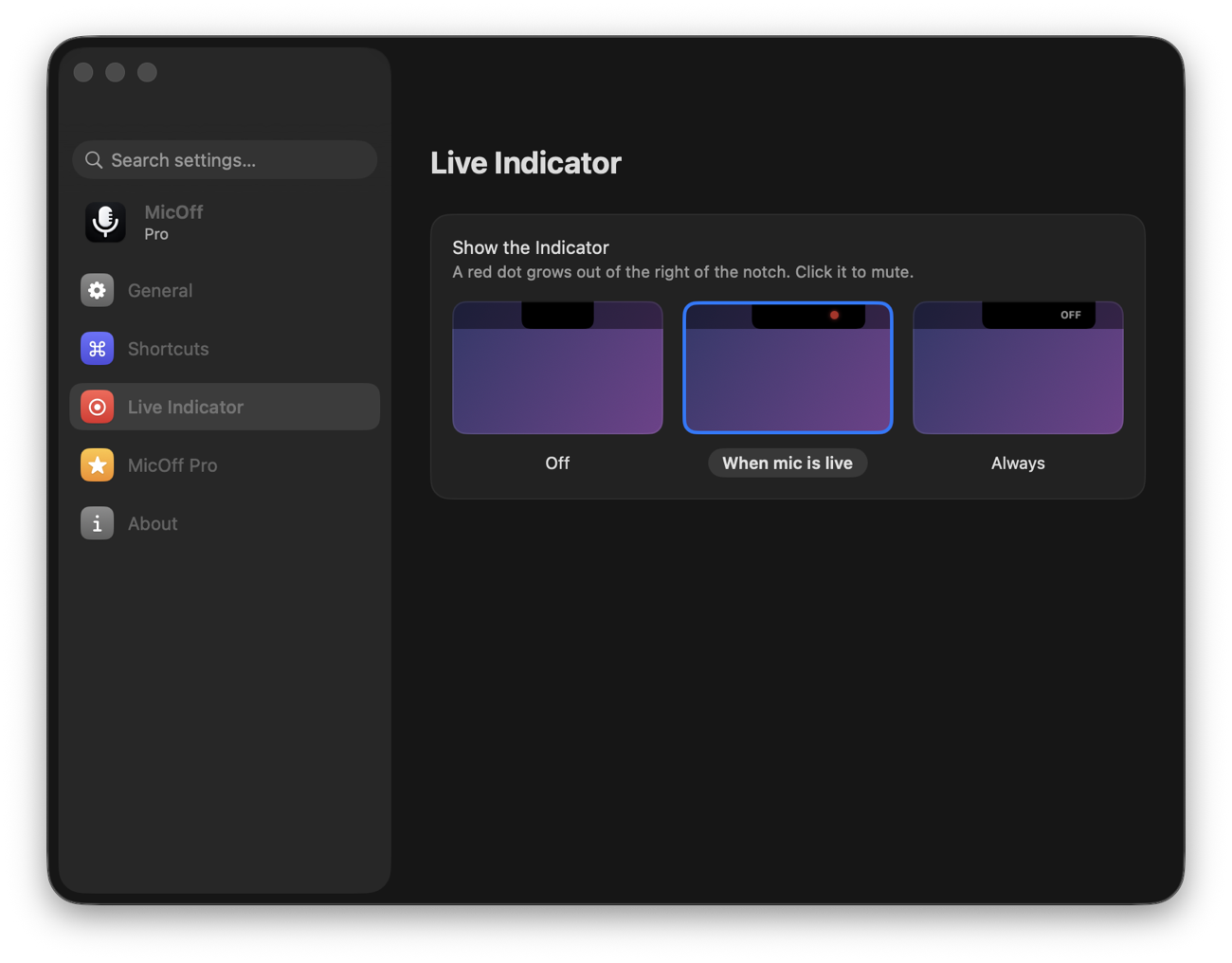
A red dot when you're live
A black wing with a red dot grows out of the notch while your mic is on. Click it to mute. Macs without a notch get a small floating pill.
Push to talk
Hold a key to speak, let go and you're muted again. Or the opposite: hold to mute while you cough.
Hear it switch
A soft pop when you mute, a tink when you go live. No need to look.
Never live by surprise
Start every session muted, and new mics (headphones connecting) are muted too while you are.
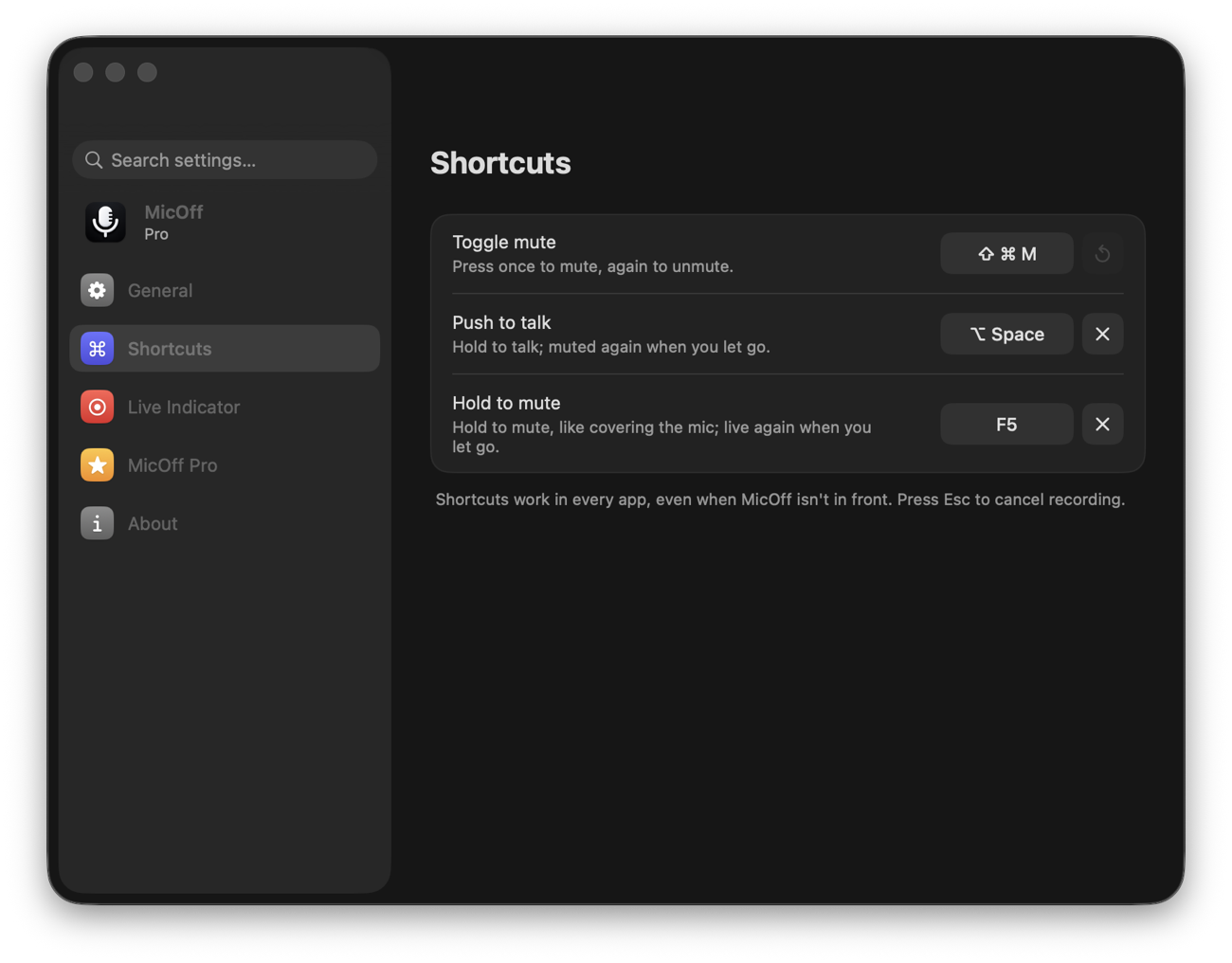
Shortcuts
Your keys, your rules.
- Toggle mute. Press once to mute, again to unmute.
- Push to talk. Hold to speak, like a walkie-talkie.
- Hold to mute. Hold to cover the mic, let go and you're back.
- No extra permissions. Shortcuts work without Accessibility access.
Live indicator
Your notch, your way.
- When the mic is live. The dot shows only when it matters.
- Always. See “OFF” while muted, too.
- Off. Just the menu bar icon.
- Can't be muted? Some USB mics have no mute control; MicOff tells you instead of pretending.
Pricing
Free to mute. Pro for the rest.
Pro is a one-time purchase, no subscription. Try every Pro feature free for 14 days first.
MicOff
- Mute from the menu bar in one click
- Start every session muted
- Warnings for mics that can't be muted
- Opens at login
MicOff Pro
- Keyboard shortcuts in every app
- Push to talk and hold to mute
- The live indicator by the notch
- Mute sounds
- Switch microphones from the menu bar
Prices in US dollars; the App Store shows the price for your country.
Support
Questions, answered.
How does MicOff mute every app at once?
It flips the mute switch on your Mac's input device, the same one macOS uses. Apps keep running, but everything they receive from the microphone is silence. Microphones without a mute switch get their input volume set to zero instead, and it's put back when you unmute.
Does it work with Zoom, Google Meet, Teams, FaceTime and Discord?
Yes. MicOff doesn't talk to the apps; it mutes the microphone underneath them, so it works with any app that uses your Mac's microphone. The app's own mute button may still show as unmuted, but it hears nothing.
Does MicOff record or listen to me?
No. MicOff never opens, records or listens to your microphone, and it doesn't ask for microphone permission. It only changes the device's mute setting. It has no accounts, analytics or network access. See the privacy policy.
It says my microphone can't be muted.
A few USB and virtual microphones offer neither a mute switch nor an input volume to macOS, so nothing outside the app can silence them. MicOff warns you instead of claiming you're muted. Use the mute in your call app, or a microphone with a hardware mute.
I can't see MicOff in the menu bar.
When the menu bar is full, macOS hides the icons that don't fit behind the notch. Open MicOff again from Applications or Spotlight: its window comes up with the same controls, and mentions when the icon is hidden. Your shortcut keeps working either way.
What happens when I quit MicOff?
Your microphone is unmuted, so it's never left silent with nothing on screen to say so.
How do I restore MicOff Pro on another Mac?
Open MicOff's settings, choose MicOff Pro, and click Restore. Pro is tied to your Apple Account, and Family Sharing is supported.
Something else? Email support@micoff.app. A real person reads every message.